Headline: Is Your AI Code Editor an Open Door? Hardening Cursor for Enterprise Security

Mohan Gandhi Ponnaganti
December 17, 2025
Cybersecurity

We all love Cursor. It has fundamentally changed how we write code, turning hours of boilerplate work into seconds of review. But as we rush to adopt AI-native workflows, we are inadvertently expanding our attack surface.

If you are using Cursor out of the box without hardening it, you are vulnerable to Remote Code Execution (RCE), Data Exfiltration, and Supply-Chain Attacks.

Here is the breakdown of the risks and how to automate your defense using the Cursor Security Compliance extension.

The Security Gap: Speed vs. Safety

The most critical difference lies in Workspace Trust. In VS Code, this is enabled by default, blocking automatic code execution when you open a new folder. in Cursor, it is disabled to reduce friction.

This leads to the "CurXecute" vulnerability: An attacker can hide a malicious command in a .vscode/tasks.json file. If you simply open that folder in an unhardened Cursor instance, the code executes silently. No prompt. No warning.

Add to this the "YOLO Mode" (Auto-Run), where the AI can execute terminal commands without confirmation, and you have a recipe for accidental data leaks or destructive actions via prompt injection.

The Fix: A Programmatic Approach

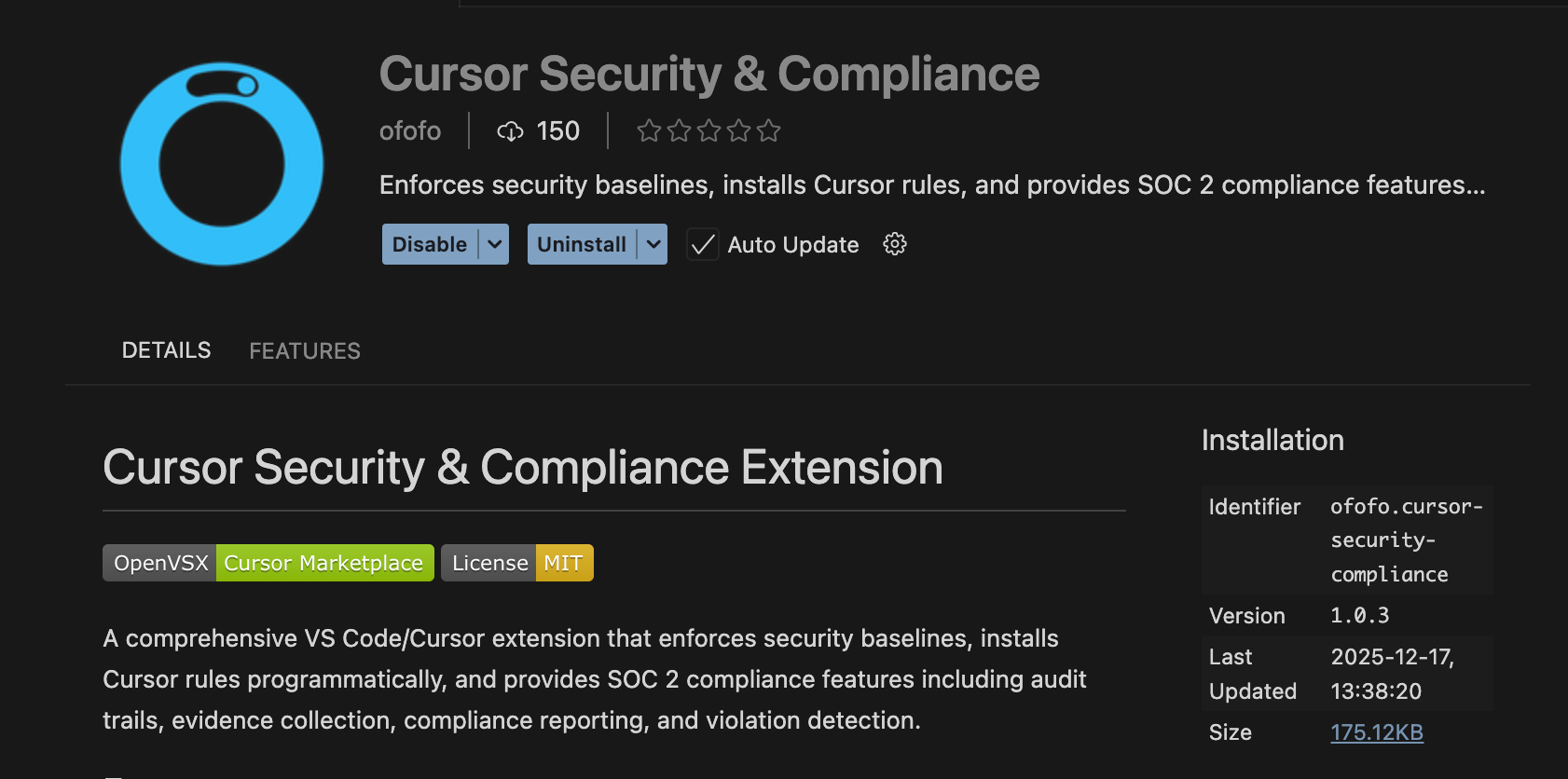
While a 13-step manual hardening playbook is effective, manual compliance is prone to human error. This is where the Cursor Security Compliance extension (available on Open VSX) becomes essential for teams.

This extension effectively productizes the "Programmatic Baseline Enforcement" strategy, moving us from manual checklists to automated guardrails.

Here is how the ofofo.cursor-security-compliance extension correlates with the critical hardening steps:

1. Killing the RCE Vector (Workspace Trust)

  • The Risk: Default settings allow scripts to run immediately upon folder load.
  • The Best Practice: Manually set security.workspace.trust.enabled: true.
  • The Extension Solution: The extension programmatically enforces this setting on startup. It acts as a compliance agent, ensuring that even if a developer accidentally toggles trust off, the extension reverts it to the secure state, preventing the "CurXecute" exploit path.

2. Disarming "YOLO Mode"

  • The Risk: AI agents executing rm -rf or cat .env without user oversight.
  • The Best Practice: Set useYoloMode: false and enable yoloMcpToolsDisabled.
  • The Extension Solution: The extension creates a hard stop for "Auto-Run" features. By enforcing the disabling of YOLO mode, it forces a "Human-in-the-Loop" workflow, requiring you to manually review and approve every CLI command the AI suggests.

3. Supply Chain & Extension Vetting

  • The Risk: Cursor does not verify extension signatures by default, leaving you open to typosquatting attacks (like the $500k "Solidity Language" trojan).
  • The Best Practice: Restrict extensions to a vetted allowlist.
  • The Extension Solution: The compliance extension can function as a gatekeeper, validating that the environment matches your organization's security baseline, which effectively mitigates the risk of unauthorized or malicious extensions running rampant.

4. Audit Trails (The Black Box)

  • The Risk: If an AI agent does something malicious, there is often no log.
  • The Best Practice: Build a "Black Box Recorder" for terminal and file changes.
  • The Extension Solution: Following the "Monitoring & Auditing" blueprint, the extension framework provides the hooks necessary to log security-relevant events, giving SecOps teams visibility into what the AI is actually doing on developer machines.

The Bottom Line

AI productivity should not come at the cost of security posture. You don't need to choose between Cursor and safety—you just need to configure it correctly.

For individual developers, check your settings.json today. For teams, stop relying on trust and start enforcing baselines programmatically.


👉 Check out the extension here: Cursor Security Compliance on Open VSX


#CursorAI #DevSecOps #CyberSecurity #SoftwareEngineering #AI #VSCode #InfoSec

OFOFO [All Features](https://www.ofofo.ai/features) [Pricing](https://www.ofofo.ai/pricing) [Marketplace](https://www.ofofo.ai/marketplace) [Questionnaire AI](https://www.ofofo.ai/questionnaireai) [Compliance AI](https://www.ofofo.ai/complianceai) [Procurement AI](https://www.ofofo.ai/procurement) [Integration Agents](https://www.ofofo.ai/integration-agents) [Get Early Access](https://www.ofofo.ai/earlyaccess) [Schedule a Demo](https://cal.com) # Is Your AI Code Editor an Open Door? ## Hardening Cursor for Enterprise Security **Published on:** September 2025 **Tags:** AI Security, Developer Tooling, Enterprise Security, Cursor --- ## Executive Summary AI code editors like Cursor dramatically accelerate developer productivity—but they also quietly expand the enterprise attack surface. This article explains why default AI IDE configurations are risky and how organizations can harden them without slowing engineers down. --- ## The Hidden Risk in AI Code Editors Modern AI editors operate with: - Filesystem access - Shell execution privileges - Network connectivity - Autonomous agent workflows In enterprise environments, this combination can enable silent remote code execution, credential exfiltration, and supply-chain compromise—often without triggering traditional security tooling. --- ## Why Cursor Is Powerful—and Dangerous by Default Cursor blends IDE functionality with agentic AI. Out of the box, it can: - Execute commands suggested by AI - Modify production-bound code - Pull dependencies autonomously - Act across large codebases with minimal friction Velocity is the feature. Uncontrolled autonomy is the risk. --- ## Enterprise Threat Model | Risk Vector | Description | Impact Level | |-------------------------|--------------------------------------------------|--------------| | AI-driven RCE | Commands executed without human scrutiny | Critical | | Prompt Injection | Malicious prompts altering agent behavior | High | | Supply Chain Exposure | AI-imported dependencies without validation | High | | Data Leakage | Sensitive code sent to external models | Critical | --- ## How to Harden AI Code Editors ### 1. Kill Dangerous Defaults Disable unrestricted shell execution and limit filesystem scope. AI should *suggest*, not *self-deploy*. ### 2. Sandbox Everything Run AI actions inside containers or ephemeral VMs. No direct access to host machines. Ever. ### 3. Enforce Policy Guardrails Define: - Allowed commands - Restricted directories - Approved dependency sources Policy beats trust. Always. ### 4. Log Like a Paranoid Capture: - Prompts - Generated code - Commands executed - External API calls If it didn’t log, it didn’t happen. --- ## Security Without Killing Velocity Hardening AI editors is not about slowing developers— it’s about **making speed survivable at scale**. The winning enterprises won’t ban AI tools. They’ll domesticate them. --- ## Conclusion AI code editors are not unsafe—but *unguarded autonomy is*. Treat them like junior engineers with root access. Because that’s exactly what they are. [Back to Blog](https://www.ofofo.ai/blog) --- CONTACT [Contact Us](https://www.ofofo.ai/contact) RESOURCES [All Features](https://www.ofofo.ai/features) [Pricing](https://www.ofofo.ai/pricing) [Question Bank](https://questionbank.ofofo.io) [Events](https://www.ofofo.ai/events) [Blog](https://www.ofofo.ai/blog) AGENTIC AI [Questionnaire AI](https://www.ofofo.ai/questionnaireai) [Compliance AI](https://www.ofofo.ai/complianceai) [Procurement AI](https://www.ofofo.ai/procurement) [Integration Agents](https://www.ofofo.ai/integration-agents) CERTIFICATIONS [Trust Center](https://trust.ofofo.ai) GET STARTED [Get Early Access](https://www.ofofo.ai/earlyaccess) [Schedule a Demo](https://cal.com) LOCATIONS # Middletown Ofofo Inc. 651 N Broad St, Middletown, DE 19709, USA # Bengaluru Ofofo Inc. 18/20, 1st Flr, Clayworks Create, BLR 560076, IND # Milan Ofofo Inc. S.R.L Largo Augusto 3, Milan 20122, Italy [Privacy Policy](https://www.ofofo.ai/privacy-policy) [Terms of Service](https://www.ofofo.ai/terms-of-service) [Return Policy](https://www.ofofo.ai/return-policy)